

Ask most Mac admins what percentage of their fleet is running the latest version of every app, and you'll get a confident guess. Usually somewhere north of 80%.
Then we run the numbers.
What we see at onboarding
Every new Zappl deployment can start in report-only mode. Zappl changes nothing at first: it watches, inventories and measures your Mac fleet to give you a baseline compliance score. Then you switch automated patching on and see exactly how fast it climbs.
Fleets we onboard typically start at around 37%.
That isn't a sign of bad admins. It's a sign of how Mac apps actually behave in the wild.

Why the real number is lower than you think
Your MDM tells you what's installed. It doesn't tell you whether it's current, and the gap between the two is where compliance quietly goes.
- Self-updaters that don't update. Plenty of apps can update themselves, but they need an admin password, a relaunch, or a user who clicks "Later" every day for a month.
- The well-known apps. Browsers get all the attention. But what about all of the tools your dev team have installed and maybe even forgot about?
- Installed outside the process. Apps that arrive by direct download never touch your deployment workflow, so they never get your update workflow either.
- Drift. A fleet that was patched last quarter is not patched today. Vendors ship constantly, and every release you haven't pushed lowers the number.
None of this shows up as an alert. It shows up the first time someone measures it.
Step 1: get your baseline score
Report-only mode is the low-risk way to find out where you really stand. Deploy Zappl through the MDM you already run (Jamf, Intune, Addigy, Mosyle or Iru) and leave patching switched off.
Within the first few days you'll see:
- Every managed Mac, and the apps running on it
- Which versions are current and which are behind
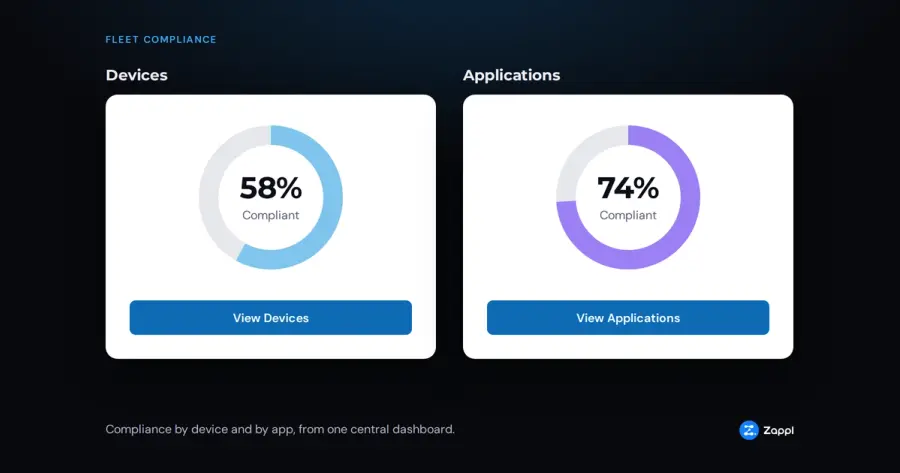
- Compliance by app and by device, so you know exactly where the gaps are
- Audit-ready, exportable status reports, useful the next time someone asks for proof
No prompts, no installs, nothing your users will notice. Just the real number.
Step 2: switch patching on
Once you've seen the baseline, turn patching on.
Zappl covers 1,100+ macOS apps, with new titles added weekly. Updates come direct from the vendor, with no repackaging and no middleware to maintain, and they're delivered alongside your existing MDM.
You control how it behaves and what appears on screens.
- Update schedules and deferral limits that match how your organisation works
- Customisable prompts with your company branding
- Never interrupts your online meetings
Then watch compliance climb across every device and app, from one central dashboard. Fleets typically pass 90% compliance in days, not months.
What the trial looks like
The free 30-day trial gives you full access, with no credit card required.
- Connect Zappl to your MDM. It takes minutes, with no new infrastructure.
- Run report-only mode and get your real baseline.
- Switch patching on and watch the number move.
- View the before-and-after. It's the easiest compliance conversation you'll have all year.
Find out your number
You can guess your Mac app compliance, or you can measure it.
Start your free 30-day trial →
No credit card. Works with any MDM.