

Zappl v3
Zappl v3 releases on Tuesday, July 14th.
Zappl has had a big makeover in v3. Following the release of AppBar, we wanted Zappl’s update prompt UI to match AppBar’s look and theme for consistency. We have rebuilt the entire UI from the ground up, making it more aesthetically pleasing and a better overall experience for your users.
The new interface is written in SwiftUI. Because of this, we have migrated the Zappl agent from a Swift macOS command line tool to a SwiftUI app. The migration will happen seamlessly upon Zappl v3’s release, and the new Zappl app will work just like a CLI with all the same options.
A few manual tweaks will be required to whitelist the new Zappl app for PPPC access and Notifications. There will also be another major update to the configuration profile options, which will require a new schema to access the new options. We have also deprecated a number of preferences within the profile, as they are no longer required with the new UI.
New User Interface
Update Prompts

Don’t like the list view? Don’t worry, we’ve maintained the horizontal list mode option, but gave it the same makeover to match the new UI theme.
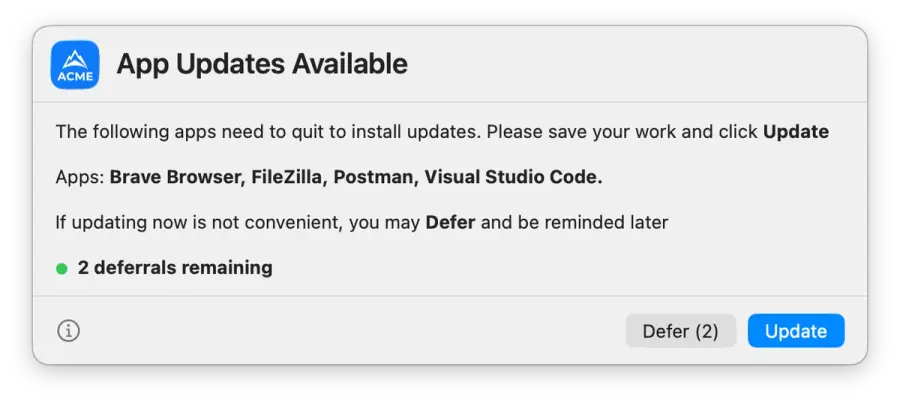
Update Progress Prompts
The update progress prompts (shown by default in the top right corner during updates) are smaller and more subtle. They are the same size as a default macOS toaster notification, and use the same update progress wheel as AppBar rather than the progress bar previously used.
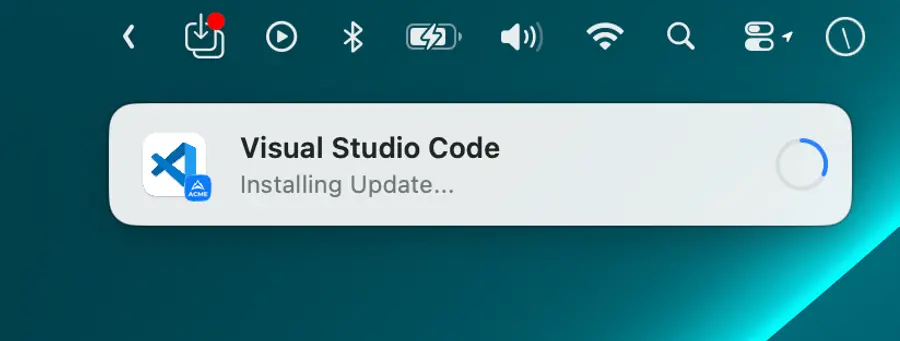
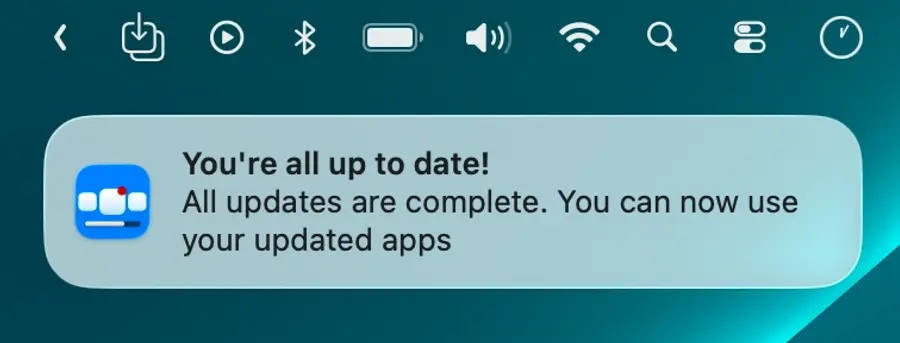
Update Completion Notifications
The update completion prompts have been deprecated and replaced by native macOS completion notification
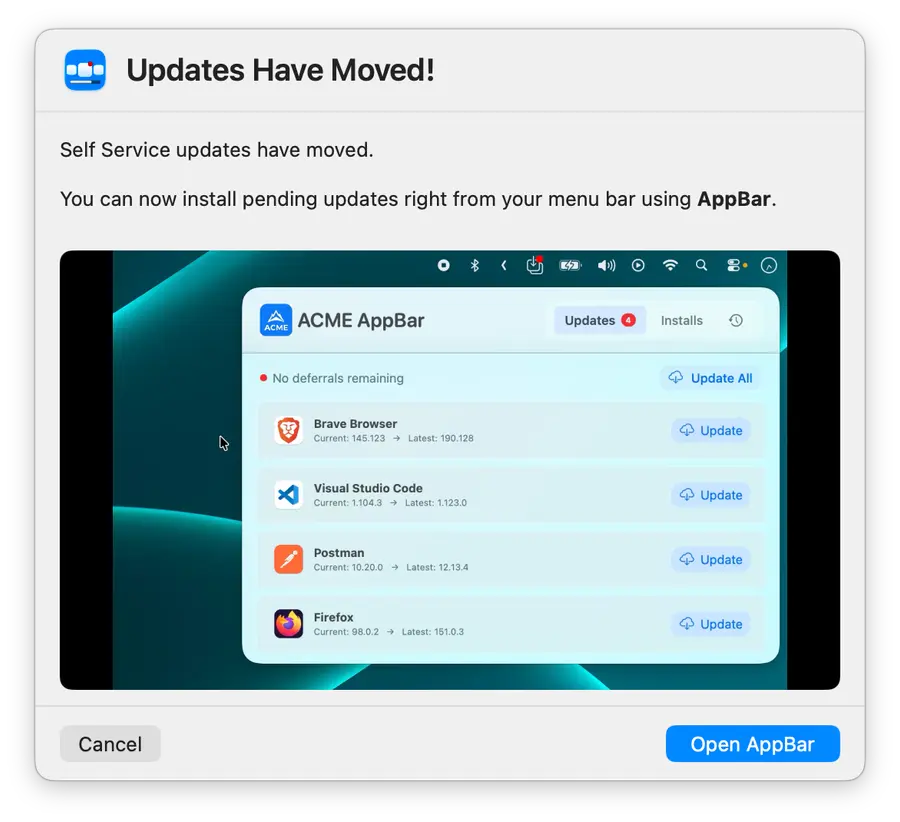
Self Service Updates - Deprecated
With the release of AppBar, we decided that the Jamf Self Service update prompts are no longer needed, and that they add unnecessary confusion and complexity to Zappl. Instead of removing the zappl -u selfService flag, we kept it. Now, when a user runs an update check from Self Service, they are directed to AppBar - so you don’t even need to worry about deleting your Jamf Pro policy for this. The prompt also contains a video that loops and shows the user how to access AppBar from the menu bar going forward.
Changes to Zappl Preferences
With the new UI, many preferences are no longer needed due to improved functionality. There are also a few new options related to the macOS 26+ liquid glass effect, as well as the new info button popover, which contains customisable messages.
The new Jamf Pro JSON schema, as well as a new preferences template (for non-Jamf customers) will be added to our documentation in the coming weeks prior to release.
Although it’s recommended that you update your configuration profile to the new schema upon release, it’s not required. Zappl v3 is backwards compatible and will respect your existing profile options, but it will ignore any deprecated configuration and retain the defaults for any new preferences.
Deprecated Preferences
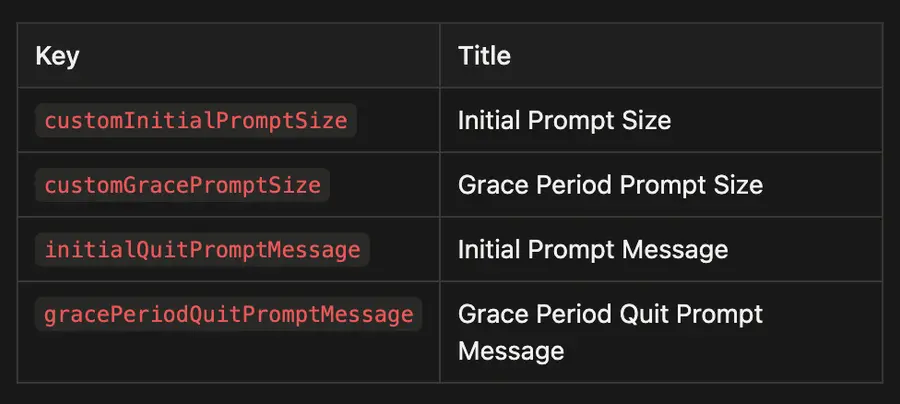
The following preferences have been removed from the preferences/Jamf Pro JSON schema and are no longer supported.
Scheduled Update Prompt Options
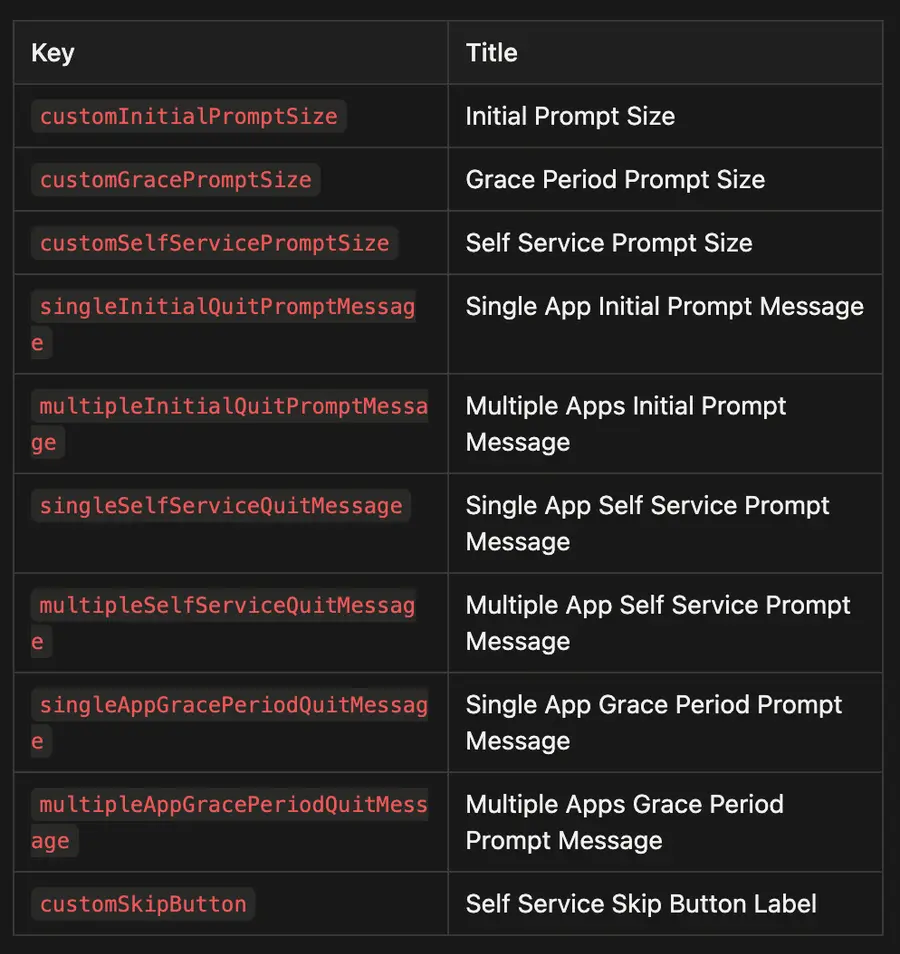
Forced Update Prompt Options
New Preferences
enableLiquidGlass- Added to the General Options, which is enabled by default. It toggles the liquid glass effect on or off on all user prompts for computers running macOS 26+.showInfoButton- Added to Scheduled Update Prompt and Forced Update Prompt options. Determines whether the info button is displayed on the bottom left of update prompts.initialPromptInfoPopover- Added to Scheduled Update Prompt and Forced Update Prompt options. Allows users to customise the text shown in the info button popovers on the initial update prompts that offer deferrals. This is now the only customisable text aspect of the update prompts (other than the titles).gracePeriodPromptInfoPopover- Added to Scheduled Update Prompt and Forced Update Prompt options. Allows users to customise the text shown in the info button popovers on the grace period update prompts that are shown when there are no deferrals available. This is now the only customisable text aspect of the update prompts (other than the titles).
Changed Preferences
updateProgressPrompt - Due to a functionality change, the title of this key in the schema has changed from Update Progress Prompt Behaviour to Show Update Progress Prompt. This was previously a string key, and was represented by a dropdown box offering 3 options: (noFocusPrompt, focusPrompt, noPrompt)
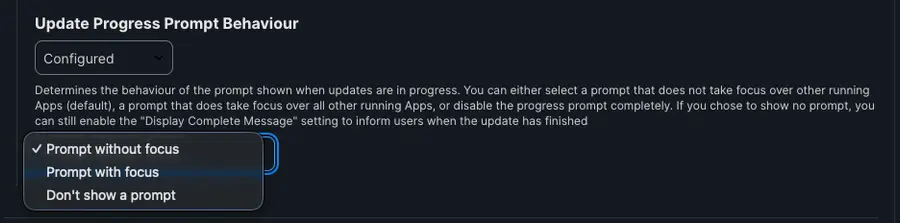
Because of the simplified behaviour of the new update prompts, there is no need for these 3 options - so this preference has been switched to a boolean represented by a checkbox which is checked (true) by default.

displayCompletePrompt - In Zappl 3.0, the complete prompt is now a native macOS notification. The key label has remained the same, but the title has changed to Send Completion Notification.

acceptableDNDMode, acceptableCameraUsage, acceptableScreenSharing & displayCompletePrompt - All four of these options have changed from a dropdown “true/false” box to a checkbox, and are all now visible and true by default.
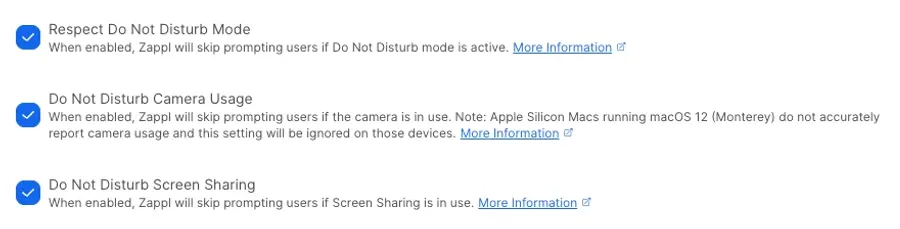

The above changed preferences all apply to the respective keys under both Scheduled Update Prompt and Forced Update Prompt options in the schema.
Other Manual Component Changes
Aside from the new preference schema which will need to be manually added to your environment - the following components also need to be updated to support Zappl v3:
PPPC Profile
With Zappl now being an app, the old PPPC profile which whitelisted the agent path needs to be updated. The updated PPPC profile includes the app’s bundle identifier and new code requirement. Without this, the users will see “Zappl is trying to modify apps” types of notifications when updates are running.
Notifications Profile
The Zappl app now sends notifications, so rather than just having an AppBar notifications profile, going forward there will be a notifications profile which whitelists both Zappl and AppBar in one profile. Without this, users will see “Zappl wants to send notifications” messages which the user can either approve or deny.
Installation Status EA
This used to check if the old binary existed at /Library/Application Support/DARE/Zappl/Bin/zappl . The new EA checks if the app bundle exists at /Library/Application Support/DARE/Zappl/Bin/zappl.app .
Don’t Want to Update to Zappl v3 Yet?
We appreciate that some of our customers may not want Zappl v3 to go live right away. If this applies to you, simply uncheck Zappl Automatic Self Updates, then re-enable that whenever you are ready to move to Zappl v3.
To do this, navigate to your Zappl configuration profile and change the autoUpdate preference under General Options to false.
If you are a Jamf Pro customer, simply uncheck this option in your Jamf Pro schema:
